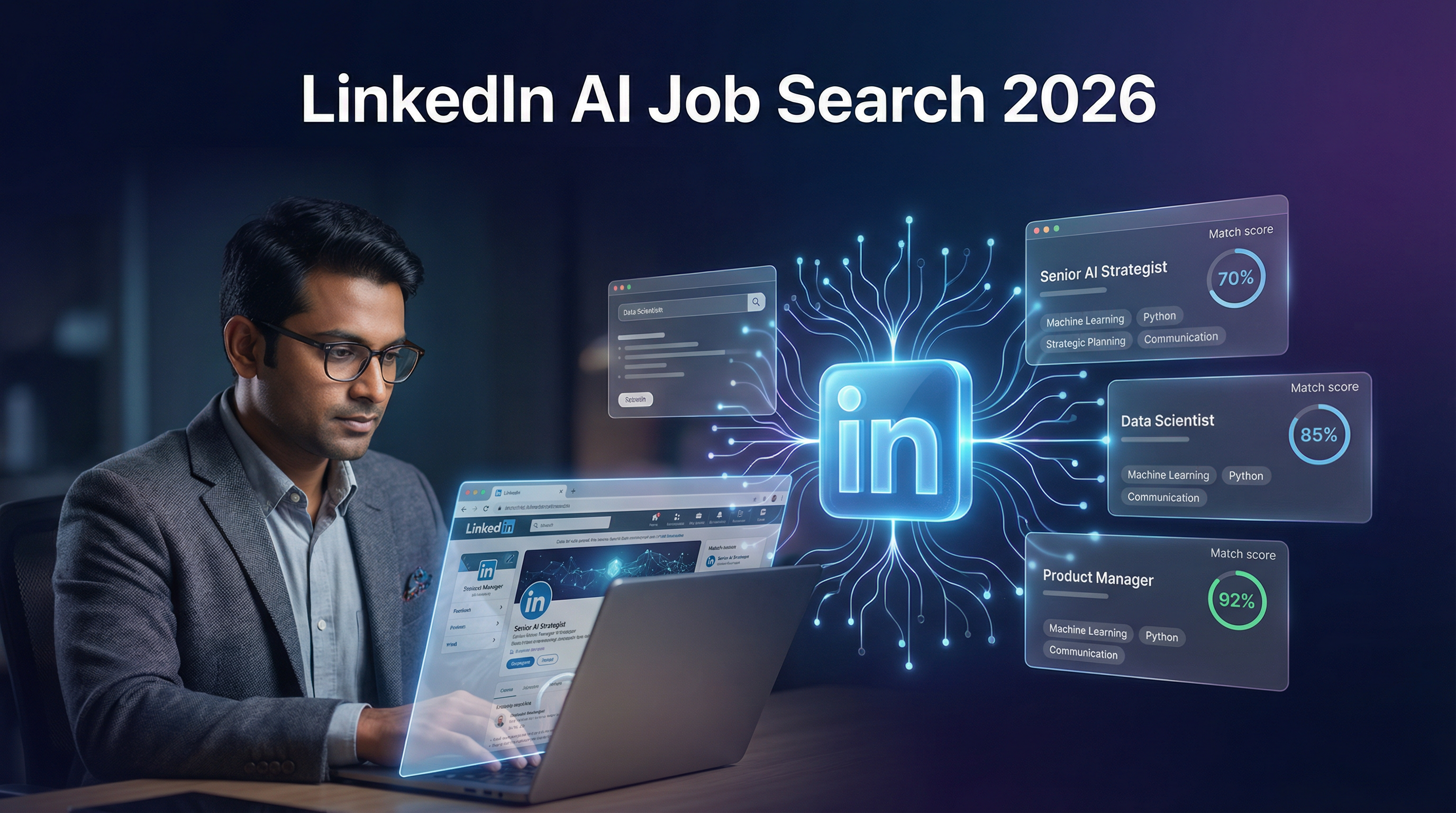
If you have been applying to jobs on LinkedIn the same way you did in 2022 — typing a job title, scrolling through listings, and clicking Easy Apply — you are already behind. LinkedIn has quietly rolled out a suite of AI-powered features that fundamentally change how job seekers find opportunities, assess their fit, and activate their networks. According to LinkedIn's own research published in January 2026, 81% of job seekers have already used or plan to use AI in their job search, and 93% of recruiters plan to increase their use of AI in 2026 to screen and shortlist candidates. [1]
The gap between job seekers who understand these tools and those who do not is widening every month. This guide covers every LinkedIn AI feature available in 2026, how each one works, and exactly how to use them — with specific tips for Indian job seekers navigating a highly competitive market.
Why LinkedIn's AI Features Matter More in India
India's job market in 2026 is uniquely challenging. Youth unemployment has risen to 17%, competition for IT and tech roles has intensified, and the number of applications per open role on LinkedIn has roughly doubled since 2022. [1] At the same time, LinkedIn has over 130 million users in India — the second-largest user base in the world — meaning the platform is both the most important job search tool and the most crowded one.
The good news is that LinkedIn's AI features are specifically designed to surface candidates who are genuinely qualified, rather than those who apply to the most jobs. For Indian job seekers who invest time in optimising their profiles and learning these tools, the advantage is significant.
Feature 1: AI-Powered Job Search (Natural Language Search)
What It Is
LinkedIn's AI-powered job search is the most significant upgrade to the platform's core functionality in years. Instead of typing a job title like "software engineer" and getting thousands of loosely relevant results, you can now describe what you want in plain, conversational language — and LinkedIn's Large Language Model (LLM) interprets your intent and returns semantically matched results.
According to LinkedIn's product lead Rohan Rajiv, the old keyword-based search "returned a mixed bag of stuff because 'entry level' is actually not something that we always used to understand." The new system is "completely semantic," meaning it understands context, not just words. [2]
Over 1.3 million members use this tool every day, and over 25 million weekly searches are now powered by it globally. [1]
How to Use It
Navigate to the Jobs section on LinkedIn. In the search bar, instead of typing a job title, describe what you want in your own words. Here are example prompts that work well:
| Type of Search |
Example Prompt |
| Role + location |
"Entry-level Python developer jobs in Bangalore posted this week" |
| Skills-based |
"Jobs where I can use my data analysis and Excel skills in Mumbai" |
| Career change |
"Marketing roles for someone with a finance background in Delhi" |
| Remote + experience |
"Remote backend engineering jobs for someone with 3 years of experience" |
| Fresher-specific |
"Software testing jobs for freshers in Hyderabad with Easy Apply" |
You can also combine filters after your natural language search — date posted, Easy Apply, company size, and "Under 10 Applicants" — to narrow results further.
Pro Tip for Indian Job Seekers
Add your city explicitly in the prompt. LinkedIn's AI interprets "Bangalore" and "Bengaluru" as the same location, but adding it ensures you are not shown remote-only global listings when you need local roles. Also use the "Under 10 Applicants" filter aggressively — roles with fewer than 10 applicants are far more likely to result in a recruiter actually reading your profile.
Feature 2: Job Match Score
What It Is
The Job Match feature shows you, on any job listing, how well your LinkedIn profile matches the requirements of that specific role. It analyses your skills, experience, education, and endorsements against the job description using semantic similarity — not just keyword matching. [3]
LinkedIn Premium members receive a detailed match level (Strong Match, Good Match, Fair Match) and can see exactly which required skills they have and which they are missing. This has already reduced the rate at which US Premium subscribers apply to "low match" jobs by 10% — meaning people are applying smarter, not more. [1]
How to Use It
- Open any job listing on LinkedIn.
- Look for the "How you match" section on the right side of the listing.
- Free users see a basic match indicator. Premium users see a full breakdown with skill-by-skill comparison.
- If you are missing key skills, LinkedIn shows you relevant LinkedIn Learning courses to close the gap.
What the Match Score Actually Measures
| Signal |
Weight |
| Skills listed on your profile |
High |
| Skills endorsed by connections |
High |
| Job title and experience level |
High |
| Education and certifications |
Medium |
| Profile completeness (photo, headline, about) |
Medium |
| Activity and engagement on LinkedIn |
Low |
The system uses semantic similarity, meaning if a job requires "machine learning" and your profile lists "ML engineering," it recognises these as equivalent. However, skills that are not explicitly listed on your profile — even if you have them — will not be matched. This is why keeping your Skills section updated is critical.
Pro Tip
Before applying to any role, check the match score and add any missing skills to your profile that you genuinely have. Even adding a skill without an endorsement improves your match score and makes you more visible to the recruiter's AI screening tools.
Feature 3: AI-Powered People Search
What It Is
Launched in late 2025, LinkedIn's AI People Search allows you to find relevant connections using natural language queries rather than name searches. You can type "Who can refer me to Infosys" or "Who works in product management at a Series B startup in Bangalore" and LinkedIn surfaces relevant people from your network and extended connections. [2]
This is a game-changer for the referral-based job search strategy. In 2026, a referral remains the most reliable way to bypass AI screening filters — referred candidates are reviewed by humans, not just algorithms. The 80/20 rule applies: spend 20% of your time applying and 80% networking, because referrals bypass early-stage algorithmic filtering entirely.
How to Use It
- Go to the Search bar at the top of LinkedIn.
- Type a natural language query about the person you are looking for.
- Filter results by People to focus on connections.
Example queries that work:
- "Who in my network works at TCS in Pune?"
- "Who can introduce me to a hiring manager at Flipkart?"
- "Who knows about React development at a startup in Hyderabad?"
- "Alumni from IIT Bombay working in data science in Bangalore"
Note: Full AI People Search is currently rolling out globally and may be available to Premium subscribers first in India. Check your LinkedIn account to see if the feature is active.
Feature 4: LinkedIn Job Tracker
What It Is
LinkedIn's built-in Job Tracker, updated with AI capabilities in early 2026, allows you to organise and monitor all your job applications in one place — directly within LinkedIn. You can track applications across different stages (Applied, In Review, Interview Scheduled, Offer Received) and LinkedIn surfaces AI-generated insights about your application status and next steps. [4]
How to Access It
- Go to the Jobs section on LinkedIn.
- Click on "Job Tracker" in the left sidebar.
- You will see all jobs you have applied to via LinkedIn, with status updates.
- You can also manually add jobs you applied to outside LinkedIn.
Why This Matters
The Job Tracker solves one of the biggest frustrations in job searching: losing track of where you applied, when you applied, and what the next step is. For Indian job seekers applying to 20–50 roles simultaneously, having a centralised tracker prevents duplicate applications and helps you prioritise follow-ups.
Feature 5: AI Profile Optimisation (Premium Feature)
What It Is
LinkedIn Premium Career includes an AI-powered profile writing assistant that analyses your current profile and suggests improvements based on the types of roles you are targeting. It rewrites your headline, About section, and experience bullets to be more relevant to your target job function and more visible to LinkedIn's recruiter search algorithm. [5]
How to Use It
- Upgrade to LinkedIn Premium Career (₹2,199/month in India, with a 1-month free trial).
- Go to your profile and look for the "Improve your profile" or "AI suggestions" prompts.
- Select the type of role you are targeting.
- Review and accept the AI-generated suggestions for each section.
Is Premium Worth It for Indian Job Seekers?
| Feature |
Free |
Premium |
| AI-powered job search |
Yes |
Yes |
| Job Match score (basic) |
Yes |
Full breakdown |
| InMail to recruiters |
No |
5–15/month |
| AI profile writing |
No |
Yes |
| Who viewed your profile |
Limited |
Full list |
| LinkedIn Learning courses |
Limited |
21,000+ courses |
| Salary insights |
No |
Yes |
For freshers and early-career professionals in India, the 1-month free trial is worth using strategically — optimise your profile with the AI tools during the trial month, then cancel if the monthly cost is not justified by your job search activity.
Feature 6: AI-Powered Cover Letter and Resume Assistance
LinkedIn now offers AI-generated cover letter drafts directly within the job application flow. When you click "Easy Apply" on a role, LinkedIn can generate a personalised cover letter based on your profile and the job description. You can edit it before submitting.
Additionally, LinkedIn's Resume Builder (accessible from your profile) uses AI to tailor your resume to specific roles by highlighting the most relevant skills and experience. This is particularly useful for Indian job seekers applying to roles across different industries or functions.
How to Maximise All LinkedIn AI Features: A Step-by-Step Strategy
The most effective approach in 2026 combines all six features into a coherent daily workflow:
Step 1 — Optimise your profile first (30 minutes, one time)
Use the AI profile writing tool (free trial) to update your headline, About section, and top 3 experience entries. Add all skills you genuinely have to the Skills section — this is the single most impactful change you can make for match scores.
Step 2 — Set up 3 targeted AI job search alerts (10 minutes)
Create one alert for your primary role ("Senior Python Developer Bangalore"), one for remote variants ("Remote Python Developer India"), and one broader alert ("Backend Engineer India"). Use natural language in the search query, not just job titles.
Step 3 — Apply the "Under 10 Applicants" filter daily (5 minutes)
Every morning, check your job alerts filtered by "Under 10 Applicants" and "Posted in last 24 hours." Apply to 3–5 of these before the application count climbs. Early applications have significantly higher response rates.
Step 4 — Check Job Match before every application (2 minutes per role)
Never apply to a role with a "Fair Match" or lower without first adding the missing skills to your profile. A 5-minute profile update before applying can change your match tier and improve your visibility to the recruiter's AI screening system.
Step 5 — Use AI People Search to find referrals (20 minutes, 3x per week)
For every role you apply to at a company with 500+ employees, search for connections at that company using AI People Search. Send a personalised connection request or InMail. A referral from even a second-degree connection dramatically increases your chances of a human reviewing your application.
Step 6 — Track everything in Job Tracker (ongoing)
Log every application in the LinkedIn Job Tracker. Set a reminder to follow up on applications that have been "In Review" for more than 7 days.
Common Mistakes Indian Job Seekers Make with LinkedIn AI Features
Mistake 1: Using only keywords in the AI search box. The AI search is designed for natural language. Typing "Python developer" gives similar results to the old search. Typing "Entry-level Python developer with Django experience in Bangalore, posted this week, Easy Apply" uses the AI's full capability.
Mistake 2: Ignoring the Skills section. The Job Match algorithm heavily weights the Skills section. Many Indian professionals list skills only in their experience descriptions but not in the dedicated Skills section — this means the AI does not count them for match scoring.
Mistake 3: Applying to too many roles. LinkedIn's algorithm tracks your application behaviour. Applying to 50+ roles per week with low match scores signals low-quality activity and can reduce your visibility in recruiter searches. Quality over quantity is now algorithmically enforced.
Mistake 4: Not verifying your profile. Verified LinkedIn members get 60% more profile views and 30% more connection requests according to LinkedIn's own data. [1] Verification is free and takes 5 minutes — go to your profile and look for the "Verify" option.
LinkedIn AI Job Search vs. Traditional Job Search: A Comparison
| Factor |
Traditional LinkedIn Search |
AI-Powered LinkedIn Search |
| Search method |
Keywords and filters |
Natural language prompts |
| Results relevance |
Keyword matches |
Semantic intent matching |
| Match assessment |
None |
Job Match score with skill breakdown |
| Network activation |
Manual search |
AI People Search |
| Application tracking |
External tools needed |
Built-in Job Tracker |
| Profile optimisation |
Manual |
AI-assisted suggestions |
| Time to find relevant roles |
2–3 hours/day |
30–45 minutes/day |
Frequently Asked Questions
Is LinkedIn's AI job search available in India?
Yes. LinkedIn's AI-powered job search is available in India and is rolling out globally in English, Spanish, French, German, and Portuguese. The feature is available to both free and Premium users, though Premium users get additional AI features like full Job Match breakdowns and profile writing assistance.
Is the LinkedIn Job Match feature free?
A basic version of the Job Match indicator is available to free users. The full breakdown — showing exactly which skills you have and which you are missing — requires LinkedIn Premium Career.
How do I turn off AI job search on LinkedIn?
You cannot turn off the AI job search entirely, but you can use traditional keyword search by typing a specific job title and using the filter options rather than natural language prompts. The AI interprets your search regardless, but specific job titles with filters will return more traditional results.
Does LinkedIn's AI read my resume?
LinkedIn's AI features primarily read your LinkedIn profile, not an uploaded resume. This is why keeping your LinkedIn profile updated and complete is more important than ever — it is the data source for all AI matching, scoring, and recommendations on the platform.
How can I improve my Job Match score on LinkedIn?
Add all relevant skills to your Skills section, get endorsements from connections, complete your profile to 100% (All-Star status), and update your experience descriptions to include the specific tools and technologies you have used. Verified profiles also receive higher visibility.
What is the best LinkedIn AI feature for freshers in India?
The AI-powered job search with the "Entry-level" and "Under 10 Applicants" filters is the most valuable feature for freshers. It surfaces roles that match your limited experience level and reduces competition by showing you listings before they accumulate hundreds of applications.
The Bottom Line
LinkedIn's AI features in 2026 represent a genuine shift in how job searching works — not a cosmetic update. The platform has moved from a keyword-matching engine to a semantic, intent-driven system that rewards candidates who invest in their profiles and use the tools strategically. For Indian job seekers competing in one of the world's most competitive job markets, understanding and using these six features is no longer optional — it is the baseline.
The job seekers who will succeed in 2026 are not those who apply to the most jobs. They are those who appear most relevant to the right recruiters, at the right time, for the right roles. LinkedIn's AI tools, used correctly, make that possible.
Looking for a faster way to match your resume to jobs across multiple platforms? Try AI Job Search — upload your resume and get AI-matched jobs from Indeed, Naukri, and more in seconds.
References
[1] LinkedIn Research: Nearly 80% of people feel unprepared to find a job in 2026 — https://news.linkedin.com/2026/LinkedIn-Research-Talent-2026
[2] How LinkedIn is using AI to improve its job-search features — Computerworld — https://www.computerworld.com/article/4096076/how-linkedin-is-using-ai-to-improve-its-job-search-features.html
[3] Find how you match up with jobs on LinkedIn — LinkedIn Help — https://www.linkedin.com/help/linkedin/answer/a7120158
[4] LinkedIn Job Application Tracker — LinkedIn Post — https://www.linkedin.com/posts/arayadaniela_linkedinupdate-jobsearch2026-linkedintips-activity-7430680173567578112-XWW2
[5] LinkedIn Premium Career Features — https://premium.linkedin.com/careers/career